SDS100
SDS100
Uniden SDS100 – Handheld Digital Radio Scanner Engineered for Precision
- Free U.S. Shipping $99+
- Customer Support
 CA WARNING


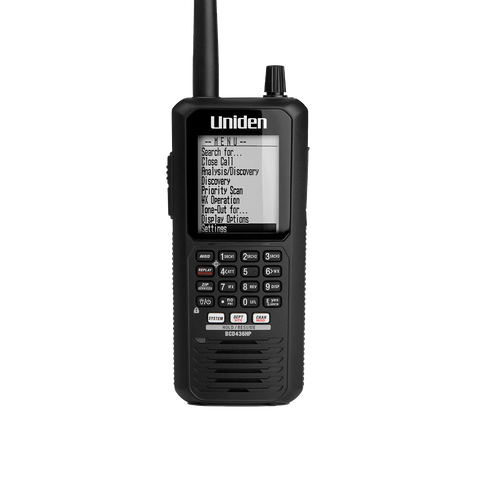
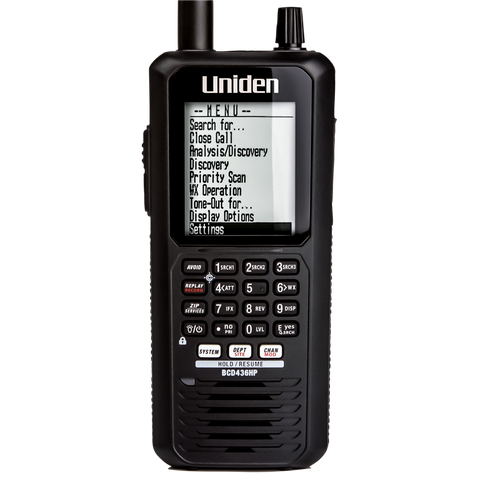
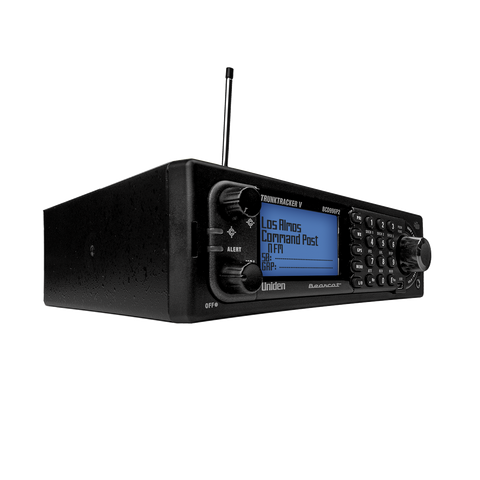
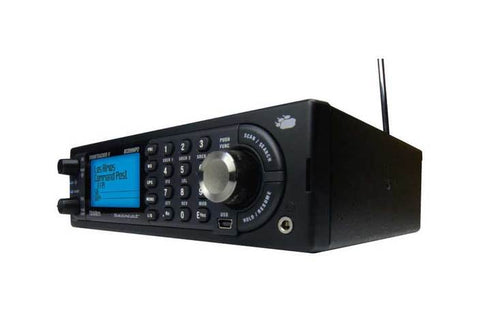
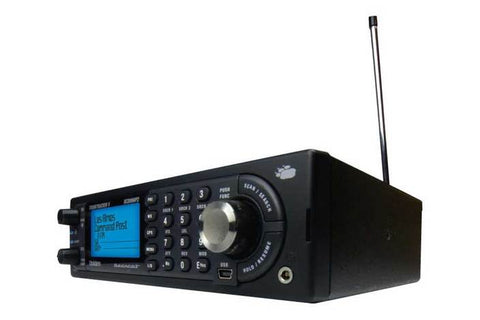
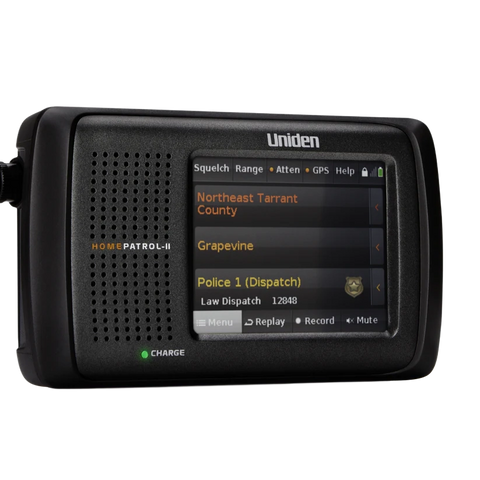
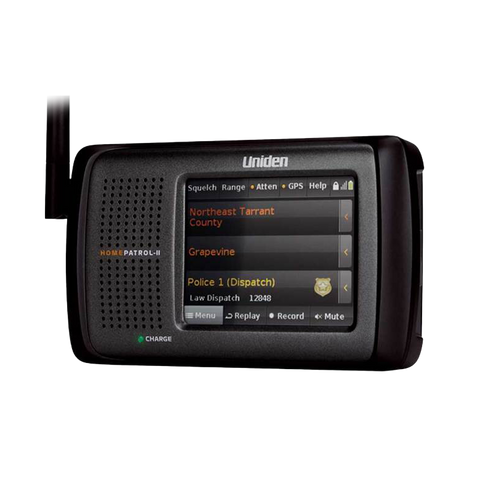
The Uniden SDS100 True I/Q Scanner is a rugged, weather resistant, digital handheld scanner that features True I/Q, Close Call(TM) RF Capture technology, and a TrunkTracker communications receiver.
It incorporates the HomePatrol database of all known radio systems in the USA and Canada. The True I/Q™ receiver provides improved digital performance even in challenging RF environments. The scanner also meets JIS4/IPX4 standards for water resistance. The SDS100 outperforms any other scanner in both simulcast and weak-signal environments.
What's In The Box

SDS100 Radio Scanner

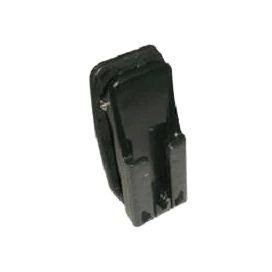
Belt Clip
USB Cable
Micro SD Memory Card
-
Customizable Color Display
You can set the display color for each field in the display. Additionally, for many fields you can select the information provided using a backlit keypad.
-
Trunking Discovery
Monitors system traffic on a trunked radio system to find unknown IDs and automatically records audio from and logs new channels for later review and identification.
-
Trunktracker X
Scans APCO 25 Phase 1 and Phase 2, X2-TDMA, Motorola, EDACS, and LTR trunked systems, as well as conventional analog and P25 digital channels.
-
True IQ Receiver
Designed to improve digital performance, the TRUE I/Q Receiver captures the complete signal waveform in 3 dimensions, allowing for improved digital error correction and signal recovery.
-
Location Based Scanning
Allows you to set your location by zip/postal code or GPS coordinates for instant reception. The Auto-locate feature will determine your general location if you don’t know where you are.

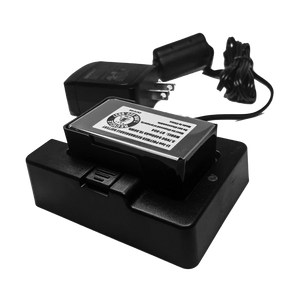
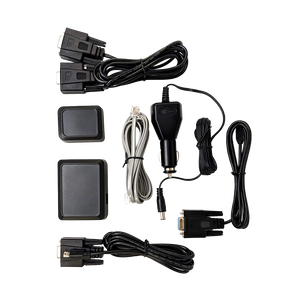
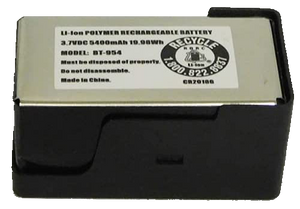


Note: Resource downloads are supported on Windows systems. Mac compatibility is limited (Radar Detectors supported). Broader support coming soon.
The Uniden SDS100 stands out because it delivers pro-level digital clarity in a fully portable form. It is engineered for users who want reliable monitoring during emergencies, weather events, community incidents, and everyday scanning without being tied to a desk.
- Advanced I/Q Receiver Design: Because it uses Uniden’s cutting-edge I/Q architecture, the SDS100 processes P25 Phase I & II, DMR, and NXDN systems with exceptional stability compared to many conventional handheld scanners.
- Superior Simulcast Performance: Simulcast resistance helps the SDS100 avoid the distortion issues that often affect other models, ensuring clearer audio on complex urban and statewide digital networks.
- Rugged, Weather-Resistant Build: Durable construction with a weather-resistant housing, enhanced battery options, and a bright customizable display keeps performance reliable in outdoor or emergency environments.
- Easy Programming & Updates: Sentinel software compatibility allows quick database updates, flexible favorites lists, and simplified setup, helping new users get started faster.
- Upgradeable Digital Modes: Optional DMR, NXDN, and ProVoice upgrades provide long-term flexibility as local communication systems evolve.
- Portable Emergency-Ready Design: Preparedness-focused engineering gives users base-station-level performance in a handheld format for storm spotting, travel, and everyday monitoring.
Explore Uniden’s full line of performance-driven digital radio scanners in order to find the model that fits your monitoring needs.
The Uniden SDS100 is a strong choice for beginners who want a handheld scanner they can grow into. It delivers reliable digital performance while still keeping the learning curve manageable. Especially for users who want emergency awareness, weather monitoring, or entry-level hobby scanning without feeling overwhelmed.
- Beginner-Friendly Setup: Sentinel software support makes programming, updating, and managing favorites lists far more intuitive, which helps new users get started with confidence.
- Clear Digital Reception: I/Q receiver technology reduces distortion on complex P25 systems, so beginners hear cleaner, more understandable audio right away.
- Portable, Everyday Convenience: Handheld design gives users the flexibility to monitor weather events, local activity, or community signals wherever they go.
- Expandable Features: Optional upgrades for DMR, NXDN, and ProVoice allow beginners to expand coverage over time as their knowledge and interest grow.
- Reliable for Emergencies: Preparedness-focused engineering keeps the SDS100 dependable during storms or outages, which is especially helpful for first-time users who want a capable tool.
- Supportive Learning Community: Large online communities such as RadioReference and Scanner School offer beginner-friendly guides, tips, and SDS100 file examples.
Need Help Programming Your Scanner?
In some areas, programming can be complex due to local system structures and encryption. That’s where our friends at Bearcat Warehouse. come in. They’re trusted experts who can assist with setup and frequency configuration in order to ensure your scanner performs at its best. We recommend them because, over the years, we’ve found that they offer excellent work, listen closely to your needs, and provide an affordable option in order to remove any potential confusion during setup.
Explore Uniden’s full line of performance-driven digital radio scanners in order to find the model that fits your monitoring needs.
The Uniden SDS100 improves emergency awareness by giving users fast, reliable access to real-time activity in their area. Its advanced digital design helps people stay informed during storms, accidents, community incidents, and rapidly changing situations where accurate information matters.
- Real-Time Digital Clarity: I/Q receiver technology delivers cleaner decoding on P25, DMR, and NXDN systems, allowing users to hear critical updates without the distortion common in older scanners.
- Better Simulcast Performance: Simulcast-resistant reception ensures clearer audio in busy metro areas where emergency agencies often operate on overlapping digital towers.
- Instant Access to Local Systems: Nationwide database support through Sentinel gives users quick access to nearby channels, so they can monitor weather alerts, local incidents, and public safety activity.
- Custom Alerts & Favorites Lists: User-defined alert tones and favorites lists help listeners prioritize the channels that matter most during emergencies and severe-weather events.
- Portable Reliability: Rugged handheld construction ensures the SDS100 performs during power outages, travel, and outdoor conditions where emergency monitoring is essential.
- Upgradable Digital Modes: DMR, NXDN, and ProVoice upgrades expand coverage as local agencies evolve, keeping users prepared for long-term communication changes.
Want Your Radio Scanner Pre-Programmed and Ready for Emergencies and Real-Time Monitoring?
When every minute matters, accurate programming helps you receive the right alerts and local activity without missing key traffic. If you want help setting up your SDS100 for storms, outages, or regional systems, our friends at Bearcat Warehouse offer personalized assistance based on how agencies operate in your area. They focus on practical, real-world configuration in order to make sure your scanner is tuned for the channels that matter most during emergencies.
Explore Uniden’s full line of performance-driven digital radio scanners in order to find the model that fits your monitoring needs.
The Uniden SDS100 supports a wide range of modern digital communication systems, which helps users monitor more agencies, utilities, and community activity with clearer and more reliable audio. Its advanced I/Q design allows it to decode complex digital formats that many older scanners struggle with.
- P25 Phase I & II Compatibility: Strong P25 decoding ensures clear monitoring of many public safety and statewide systems, even in areas with heavy simulcast traffic.
- DMR Support (With Upgrade): DMR capability opens access to schools, hospitals, transit systems, and business communications that use this efficient digital format.
- NXDN Support (With Upgrade): NXDN decoding allows monitoring of utilities, industrial operations, local services, and regional agencies using this narrowband digital system.
- ProVoice (With Upgrade): ProVoice monitoring makes the SDS100 compatible with certain legacy digital systems still used in some regions.
- Flexible Firmware & Database Updates: Sentinel integration keeps systems current, ensuring users receive accurate digital data as agencies shift or modernize.
Looking for Reliable Help With DMR or NXDN Setup?
Digital upgrades can feel confusing if you’re unsure which systems your area uses or how to configure them for best results. Our friends at Bearcat Warehouse offer personalized assistance to help you program DMR, NXDN, or other digital modes correctly. They take a patient, user-focused approach in order to make sure your SDS100 performs the way you expect on the systems that matter most in your region.
Explore Uniden’s full line of performance-driven digital radio scanners in order to find the model that fits your monitoring needs.
The Uniden SDS100 delivers noticeably stronger digital performance than many older BCD-series models. This is because it uses a modern I/Q receiver platform designed specifically for today’s complex digital systems. This helps users hear clearer audio, reduce distortion, and maintain better reception on networks where older scanners often struggle.
- Superior Simulcast Handling: I/Q architecture dramatically improves clarity on simulcast P25 systems, which are known to cause garbled or inconsistent audio on legacy BCD models.
- Cleaner Digital Decoding: Advanced DSP processing helps the SDS100 decode P25 Phase I & II with fewer dropouts, especially in metro areas with dense tower overlap.
- Stronger Upgrade Flexibility: Optional DMR, NXDN, and ProVoice support give the SDS100 access to a wider range of modern systems compared to older BCD units, which lack native compatibility.
- Improved Sensitivity & Stability: Enhanced receiver design provides more consistent signal performance across both digital and analog modes, reducing the fading or choppiness that older models may experience.
- Future-Friendly Design: Regular Sentinel updates help keep the SDS100 aligned with evolving system changes that older scanners may no longer support effectively.
Explore Uniden’s full line of performance-driven digital radio scanners in order to find the model that fits your monitoring needs.
The Uniden SDS100 is specifically engineered to handle simulcast distortion far better than traditional scanners. As a result, it makes a noticeable difference for users in large cities or statewide P25 networks. Its modern I/Q receiver design processes digital signals with exceptional accuracy. Because of this, the audio stays clear even when multiple towers overlap—something older scanners often cannot overcome.
- I/Q-Based Signal Processing: Direct-sampling I/Q technology allows the SDS100 to decode simulcast traffic with exceptional accuracy, reducing garbled audio and missed transmissions.
- Improved Digital Stability: Advanced DSP filtering helps the scanner distinguish between multiple tower signals, which strengthens clarity on dense urban systems.
- Consistent Performance in Metro Areas: Enhanced digital decoding ensures more stable reception in cities where public safety agencies rely heavily on simulcast networks.
- Adaptive Reception Efficiency: Better timing and synchronization handling allow the SDS100 to stay locked onto the strongest valid signal, minimizing distortion that affects older models.
- Future-Proof Platform: Regular Sentinel updates help maintain performance as simulcast systems expand or reconfigure across urban regions.
Need a Hand Optimizing Your SDS100 for City Reception?
Simulcast-heavy metro areas can be challenging, especially if you’re moving from an older scanner or unsure which sites to prioritize. Our friends at Bearcat Warehouse can help configure your SDS100 for the best urban performance by tailoring your favorites lists and settings to the specific tower patterns in your region. Their practical, real-world experience makes a noticeable difference in order to ensure clean, dependable reception.
Explore Uniden’s full line of performance-driven digital radio scanners in order to find the model that fits your monitoring needs.
The Uniden SDS100 is built with a rugged, weather-resistant design that makes it a strong choice for users who monitor outdoors, travel frequently, or rely on their scanner during storms and emergency situations. While it is not fully waterproof, its construction is noticeably more durable than many traditional handheld scanners.
- Weather-Resistant Housing: Reinforced exterior materials help the SDS100 withstand light rain, dust, and everyday outdoor conditions, making it suitable for storm spotting, field monitoring, or roadside use.
- Tougher Build Quality: Improved chassis durability gives the scanner a solid, premium feel that holds up better during travel or long-term outdoor activity compared to older models.
- Bright, Outdoor-Readable Display: High-visibility screen settings allow users to read information easily in bright sunlight or shifting weather conditions.
- Optional Extended Battery Pack: Enhanced battery options help users stay active longer in the field, which is helpful during weather events or extended monitoring sessions.
- Reliable in Emergency Conditions: Preparedness-focused engineering ensures consistent performance during storms, outages, or rough environments where dependable reception matters.
Explore Uniden’s full line of performance-driven digital radio scanners in order to find the model that fits your monitoring needs.
The Uniden SDS100 includes several useful connectivity options that make it easy to charge, program, and listen privately. In addition, these options allow you to expand your monitoring setup with GPS features. These ports improve everyday convenience. As a result, the scanner adapts well to different monitoring styles at home, on the road, or in the field.
- Dual USB Ports: A micro-USB and mini-USB port support programming, database updates, and charging. The upper USB port is primarily for power, while the lower port handles data transfer through Sentinel software.
- Standard Headphone Jack: A 3.5mm headphone output allows clear private listening or use with amplified external speakers, making it ideal for travel or noisy environments.
- GPS Compatibility: The rear GPS input enables automatic location-based scanning, allowing the SDS100 to turn systems on and off based on where you’re traveling. This is especially helpful for road trips, storm spotting, or regional monitoring.
- Accessory & Antenna Flexibility: Standard SMA antenna connector supports a wide range of aftermarket antennas for better local or long-distance reception.
- Computer & Software Integration: Full Sentinel support allows users to manage favorites lists, apply firmware updates, and load the latest frequency database quickly.
Explore the capabilities of the Uniden SDS100 in order to choose a scanner built for modern digital systems.
Setting up and programming the Uniden SDS100 for your local area is straightforward once you understand the steps. The scanner relies on Sentinel software, location-based data, and customizable favorites lists to help you monitor the systems and channels that matter most in your region.
- Install & Update Sentinel: Download Sentinel software and also update both the database and firmware in order to ensure the SDS100 has the latest information for your local systems.
- Connect the SDS100 to Your Computer: Use the lower USB port for data transfer, allowing you to read and write to the scanner’s profile.
- Load the Full National Database: Sentinel’s built-in database gives you instant access to nearby agencies, utilities, weather channels, and digital systems based on ZIP code or GPS location.
- Create a Local Favorites List: Custom favorites lists let you select only the channels you want—from police, fire, and EMS to public works, aviation, rail, or utilities—making everyday monitoring more focused.
- Add Digital Upgrades if Needed: DMR, NXDN, or ProVoice upgrades expand coverage for regions using additional digital formats.
- Fine-Tune Channel Options: Adjust filters, avoid lists, service types, and display options to match your specific scanning interests or local system structure.
Need Help Setting Up Local Frequencies For Your Area?
Programming the SDS100 for your local systems can feel overwhelming if you’re unsure which agencies or digital modes operate nearby. Our friends at Bearcat Warehouse can help build a favorites list tailored to your county, load the right digital upgrades, and configure the scanner in order to deliver clear, dependable reception where you live. Their one-on-one approach makes setup far more comfortable for new and experienced users alike.
Learn more about the Uniden SDS100 in order to see how easily it can be programmed for your local monitoring needs.
Yes — Sentinel is the easiest way to manage, update, and customize your Uniden SDS100. It gives you full control over programming, favorites lists, firmware, and database updates, all through a clear and beginner-friendly interface. Because the SDS100 is designed around Sentinel, the workflow feels much smoother than manual programming.
- Simple Programming & Editing: Sentinel’s channel editor allows you to add, remove, or modify systems and talkgroups quickly, making it easy to tailor the SDS100 to your monitoring style.
- Effortless Database Updates: Weekly RadioReference-sourced database updates keep the SDS100 current with frequency and system changes in your area.
- Firmware & Feature Management: One-click firmware updates ensure your scanner stays aligned with the latest improvements, bug fixes, and digital refinements.
- Easy Favorites List Creation: Organized favorites lists help you separate local agencies, utilities, rail, aviation, or special-event channels for cleaner, faster scanning.
- Profile & Settings Backup: Saved profiles let you store all of your settings, alerts, display options, and system configurations for quick recovery or cloning.
- Direct USB Connectivity: The SDS100’s lower USB port supports smooth read/write operations, making Sentinel communication fast and reliable.
Want Help Getting Started With Sentinel?
If you're new to the software or unsure how to structure your favorites lists, our friends at Bearcat Warehouse can guide you. Fron Sentinel setup, organize your local systems, and help configure digital upgrades in order to make your SDS100 easier and more enjoyable to use.
Review the features of the Uniden SDS100 in order to decide if it’s the right fit for your scanning needs.
Connecting a GPS module to the Uniden SDS100 is a great way to enable automatic, location-based scanning while you travel. Once connected, the SDS100 can turn systems on or off based on where you are, making road trips, storm spotting, or multi-county monitoring much more efficient.
- Locate the GPS Input Port: The dedicated GPS connector is on the side of the SDS100 and is designed to work with compatible Uniden GPS accessories.
- Choose a Compatible GPS Module: Uniden’s GPSK or equivalent modules provide the correct cable, voltage, and plug type for safe connection to the SDS100.
- Connect the GPS Cable: Plug the GPS cable into the SDS100’s GPS port and connect the opposite end to your GPS receiver or vehicle-powered GPS puck.
- Enable Location Control: Turn on “Set Location” or “Auto Locate” in the SDS100 menu in order to let the scanner adjust your active systems automatically.
- Update Sentinel Before Traveling: Refreshing the database in Sentinel ensures the SDS100 has accurate geographic data, county boundaries, and system locations for your route.
- Verify Operation: Watch for your scanner to adjust systems as you move—favorites lists, sites, and departments will activate or deactivate based on your location.
Experience the power of the Uniden SDS100 in order to monitor your area with clarity and confidence.
The Uniden SDS100 warranty cannot be transferred to a new owner. The warranty is tied to the original purchaser, requires proof of purchase, and must match the name on the receipt. If the scanner is sold or given to someone else, the new owner can still use the product normally, but warranty coverage does not carry over.
- Original Purchaser Only: Uniden’s standard warranty applies only to the person who bought the SDS100 new from an authorized retailer.
- Proof of Purchase Required: A valid receipt must show the buyer’s name, purchase date, and authorized seller information.
- No Secondary Coverage: Used or secondhand scanners are not eligible for warranty repair or replacement, even if the device is still within the warranty period.
- Authorized Retailers Matter: Units bought from non-authorized sellers may not be covered, so buying new through trusted channels helps ensure full warranty protection.
- Out-of-Warranty Repair Still Available: Uniden Repair Services can still assist owners of secondhand units for a service fee.
Learn what sets the Uniden SDS100 apart in order to make an informed choice about your next handheld scanner.
Finding replacement parts or batteries for the Uniden SDS100 is simple. There are also several reliable ways to get exactly what you need. Uniden offers official components, and a few trusted retailers carry genuine accessories designed specifically for the SDS100’s rugged, field-ready design.
- Official Uniden Accessories: Uniden’s online store carries OEM batteries, battery doors, belt clips, chargers, and other SDS100-specific replacement parts in order to ensure proper fit and performance.
- Extended & Standard Battery Options: Both battery sizes are available, allowing you to choose between longer runtime outdoors or a lighter setup for everyday use.
- Authorized Retailers: Trusted scanner retailers like Bearcat Warehouse offer genuine SDS100 parts, including battery packs and accessories that match the original specifications.
- Third-Party Accessories (With Caution): Some aftermarket options exist, but sticking with official or authorized sources helps avoid compatibility issues.
- Uniden Repair Services: If a part is unavailable, Uniden’s repair department can often source or replace components during service.
Take a closer look at the Uniden SDS100 in order to find the accessories and features that best support your scanning needs.
Keeping the Uniden SDS100 updated is one of the easiest ways to maintain strong digital performance and accurate regional data. In addition, regular updates help preserve long-term reliability. Both firmware and the master frequency database are managed through Sentinel. Because of this, updating them consistently ensures the scanner stays aligned with system changes in your area.
- Firmware Updates (As Released): Install new firmware whenever Uniden publishes an update, since these releases often include performance improvements, bug fixes, or refinements to digital decoding.
- Database Updates (Weekly Recommended): Sentinel provides weekly RadioReference-sourced database updates, which help the SDS100 stay current with changing frequencies, talkgroups, and system structures in your region.
- Local System Changes: If your area is migrating to new towers or digital formats, updating more frequently ensures you don’t miss new channels or system realignments.
- Before Travel or Storm Season: Perform an update before long trips or major weather events in order to ensure you have the most accurate data for surrounding counties and states.
- Backup & Profile Refresh: Save and refresh your profile periodically so new firmware features or options are carried into your custom favorites lists.
Want Help Staying Up to Date With SDS100 Updates?
If you’re unsure when to update or want help making sure your favorites lists stay aligned with the newest database changes, our friends at Bearcat Warehouse can walk you through the process. They can review your setup, check for outdated systems, and guide you in order to keep your SDS100 performing at its best all year.
Explore the Uniden SDS100’s advanced technology in order to stay ahead of changing digital